EXCEL INTERFACE/01 OF 10
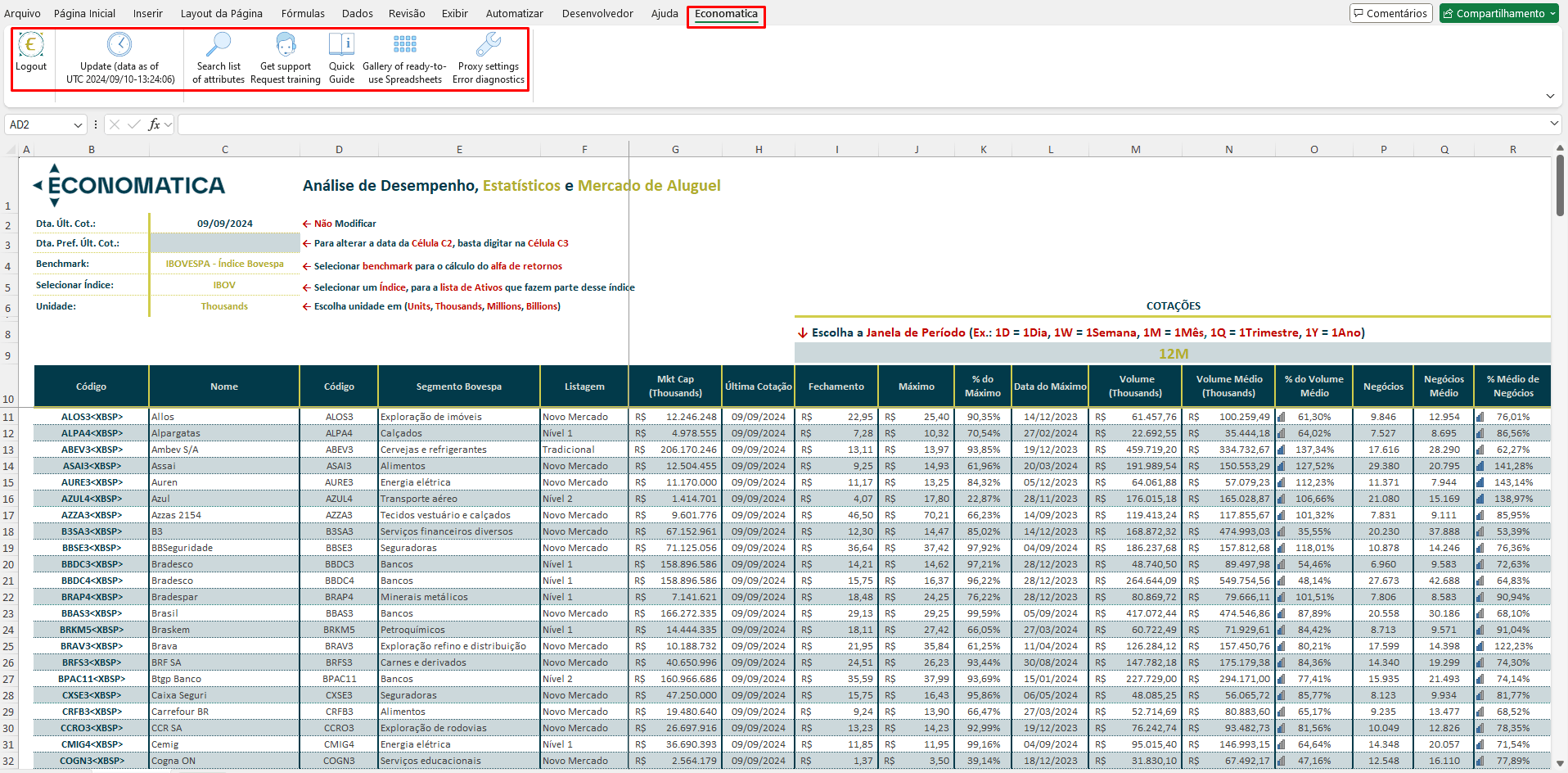
Economatica tab in Excel
A dedicated tab inside Excel with every Add-in command: refresh data, find attributes, open the quick guide, access the gallery of ready-made spreadsheets, and connection settings. Without leaving the spreadsheet environment.
Native tabData refreshQuick guideProxy & diagnostics
EXCEL INTERFACE/02 OF 10
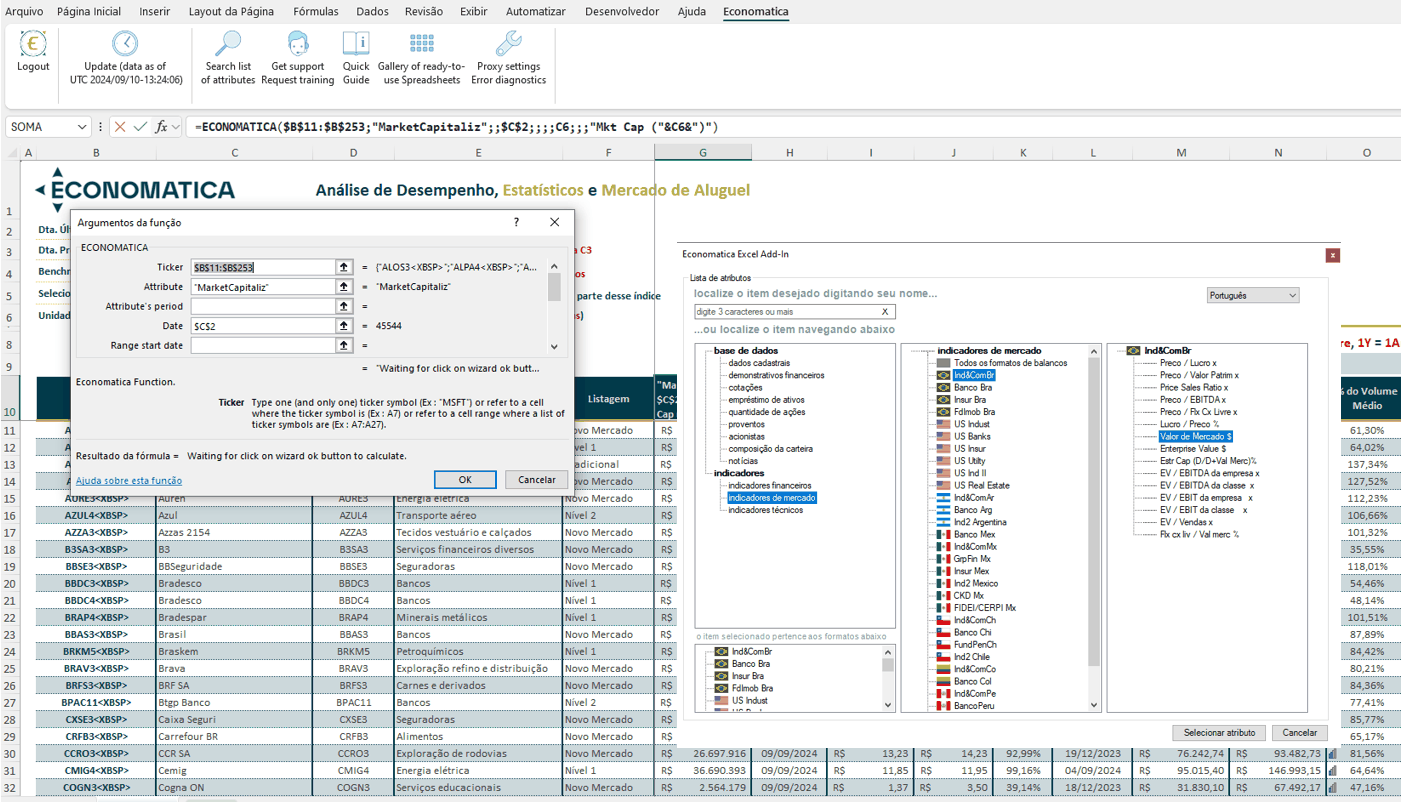
Attribute browser
Visual assistant to locate available attributes in the Economatica database (quotes, market indicators, portfolio composition, balance sheets), navigating by category or direct search. Inserts the attribute into the formula with one click.
Text searchCategory treeMulti-databaseMultilingual
EXCEL INTERFACE/03 OF 10
=ECONOMATICA() function
The function lets you query data and series available in the database, according to user parameters. It integrates with Excel's formula assistant and lets you build models parameterized by cell reference.
=ECONOMATICA(…)Single formulaCell referenceNative assistant
DATA & MODELS/04 OF 10
Market data
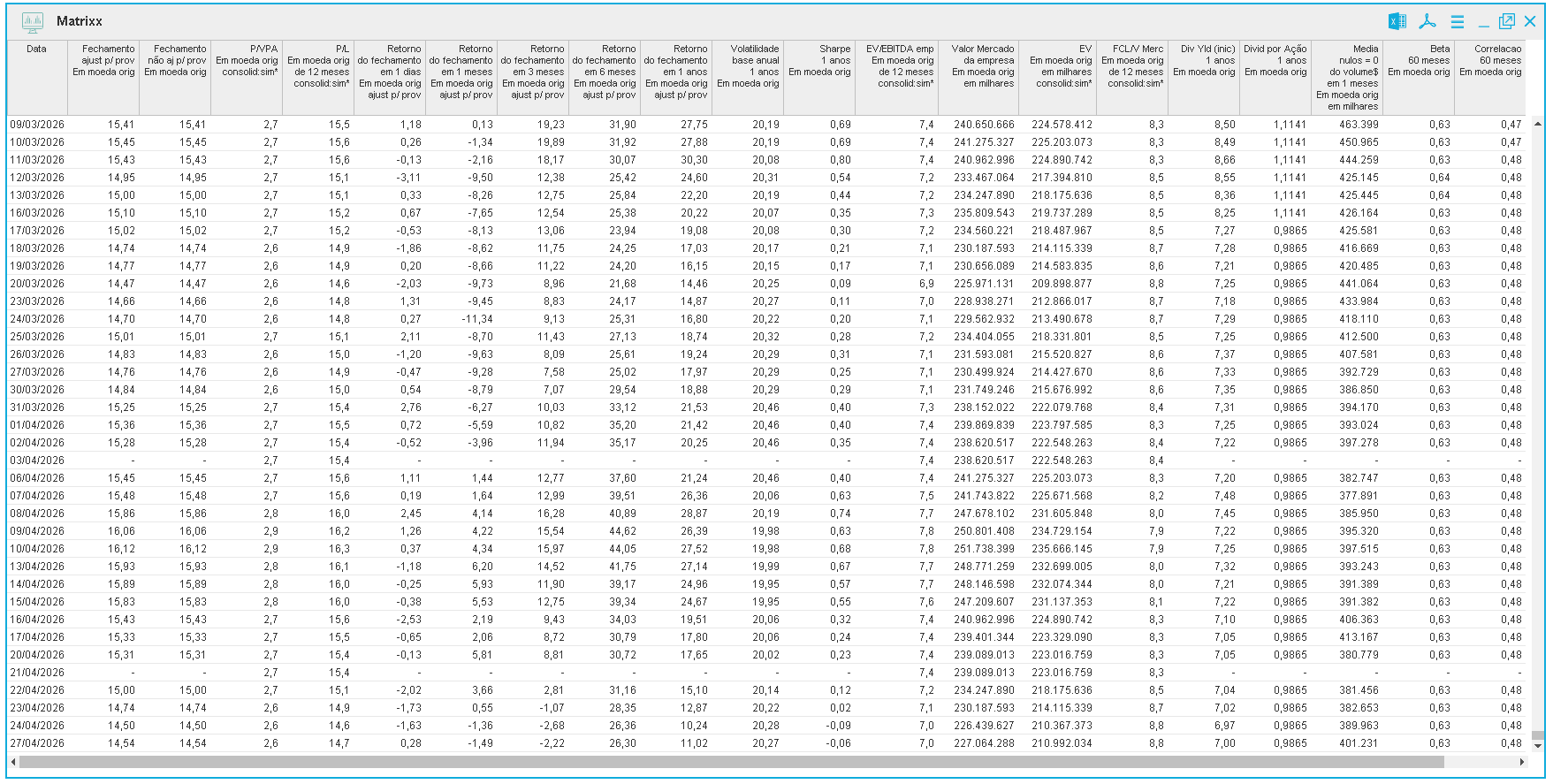
Quotes, highs, lows, volumes, trades, and derived indicators straight from the Economatica database, in configurable windows (1D, 1W, 1M, 1Q, 1Y) with corporate actions already applied.
QuotesVolumeConfigurable windowsDividend-adjusted
DATA & MODELS/05 OF 10
Fundamentals
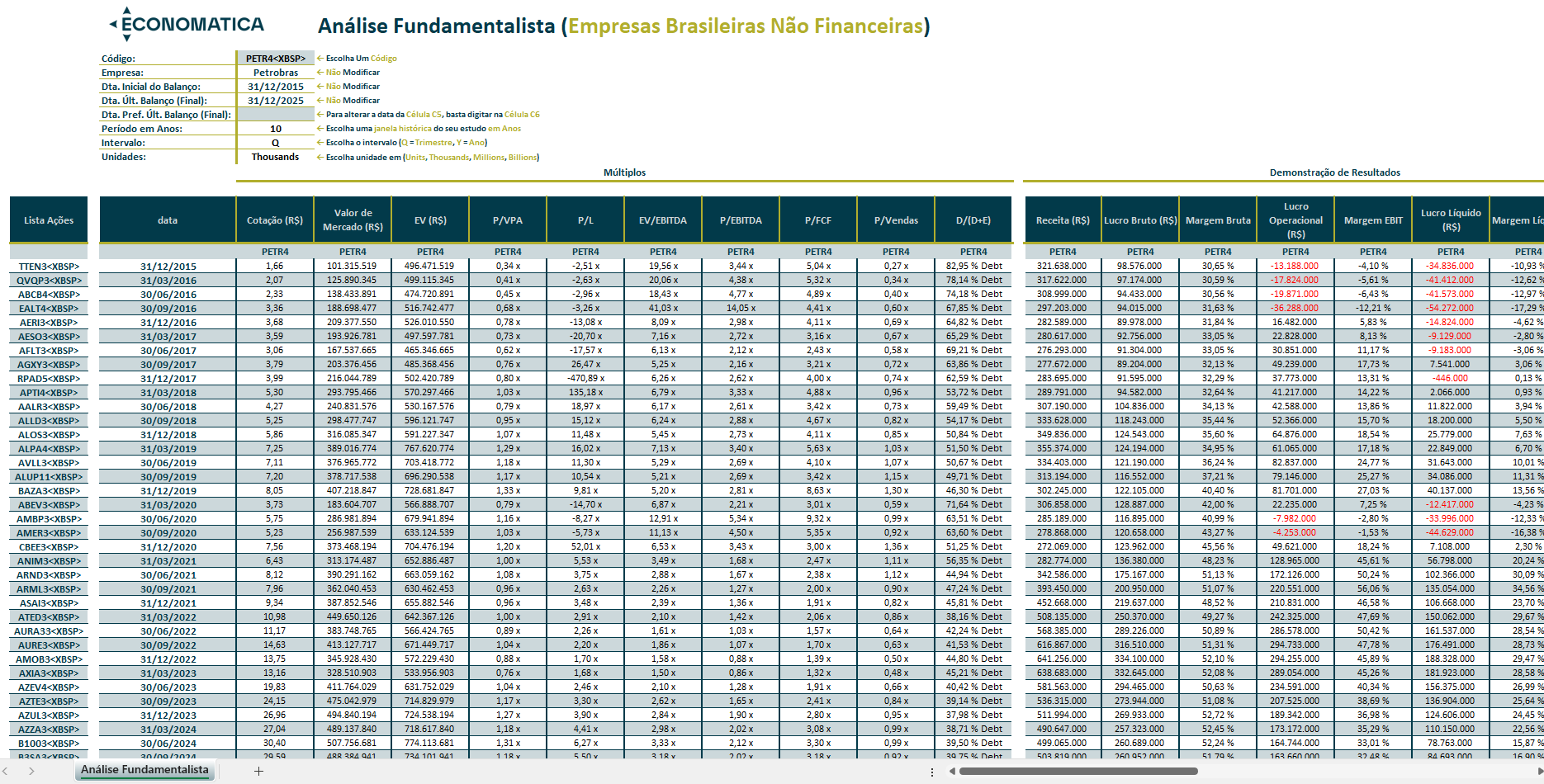
Balance sheets, income statements, cash flow, profitability, liquidity, leverage, and valuation indicators, available cell by cell, in consistent historical series with Economatica's accounting standardization.
Balance sheetMultiplesProfitabilityValuation
DATA & MODELS/06 OF 10
Historical series
Time series for available attributes, with configurable interval and frequency by field. Ideal for studies, regressions, backtests, and recurring reports without manual extraction at every refresh.
40Y historyConfigurable frequenciesCell-level parameters
DATA & MODELS/07 OF 10
Financial models
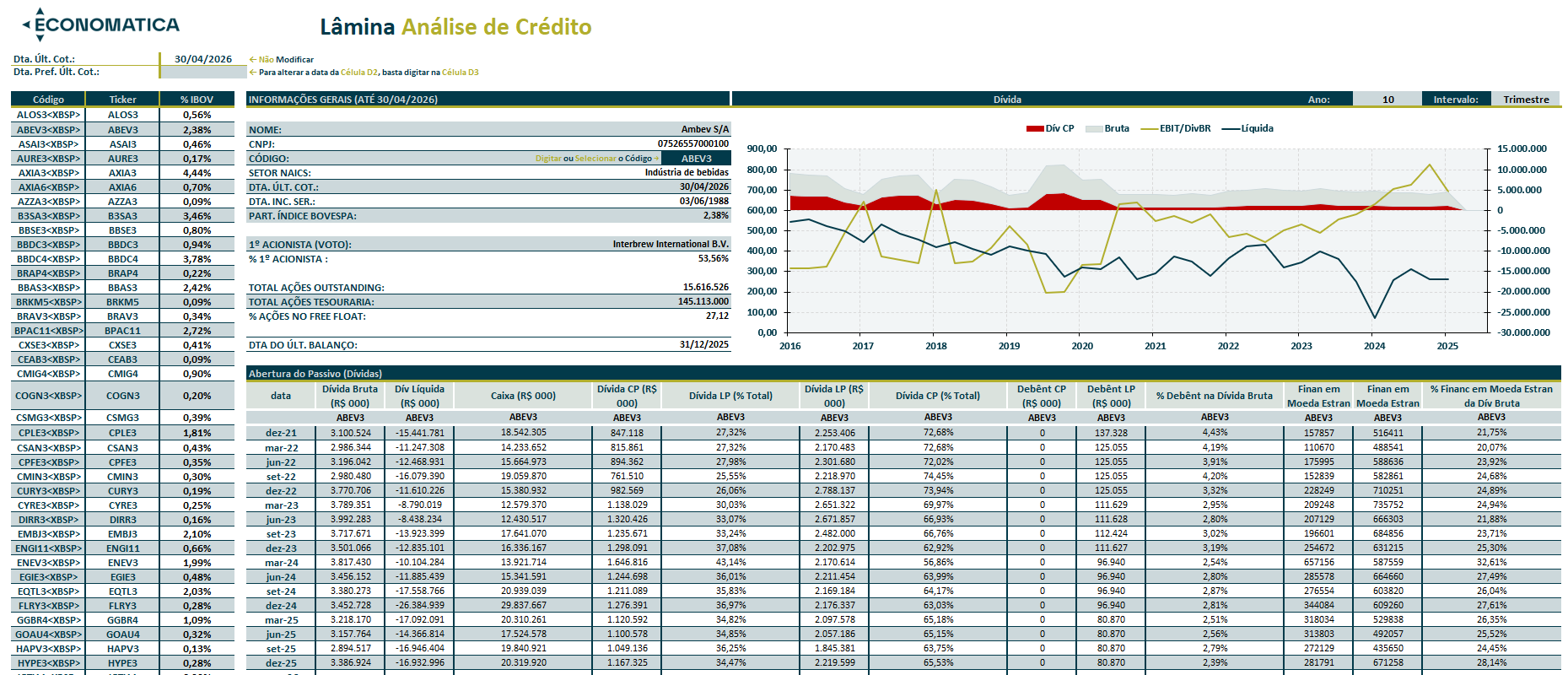
Use Economatica data to feed DCF, comparables, return, and sector study models in Excel. Parameters in cells, functions from the Economatica database: recompute the model with a single update.
DCFComparablesParameterizableConnected database
Financial models
Interface in production. Request a demo to see this feature in action.
PRODUCTIVITY/08 OF 10
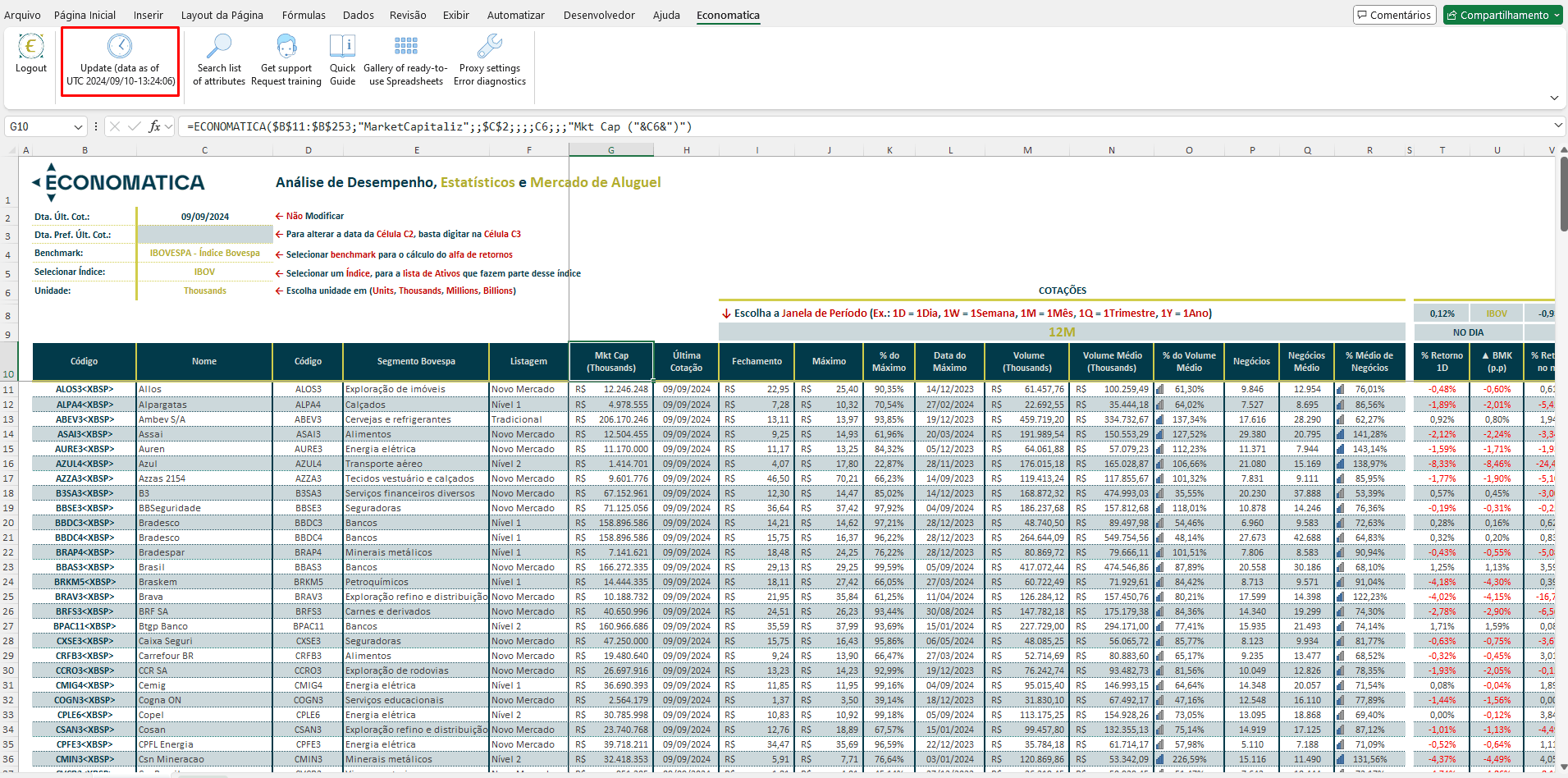
Automatic updates
A click on "Refresh data" updates every cell in the workbook with Economatica data at the most recent timestamp available. Last-update date and time always visible.
Automatic refreshDate/time stampNo copy and paste
PRODUCTIVITY/09 OF 10
Spreadsheet gallery
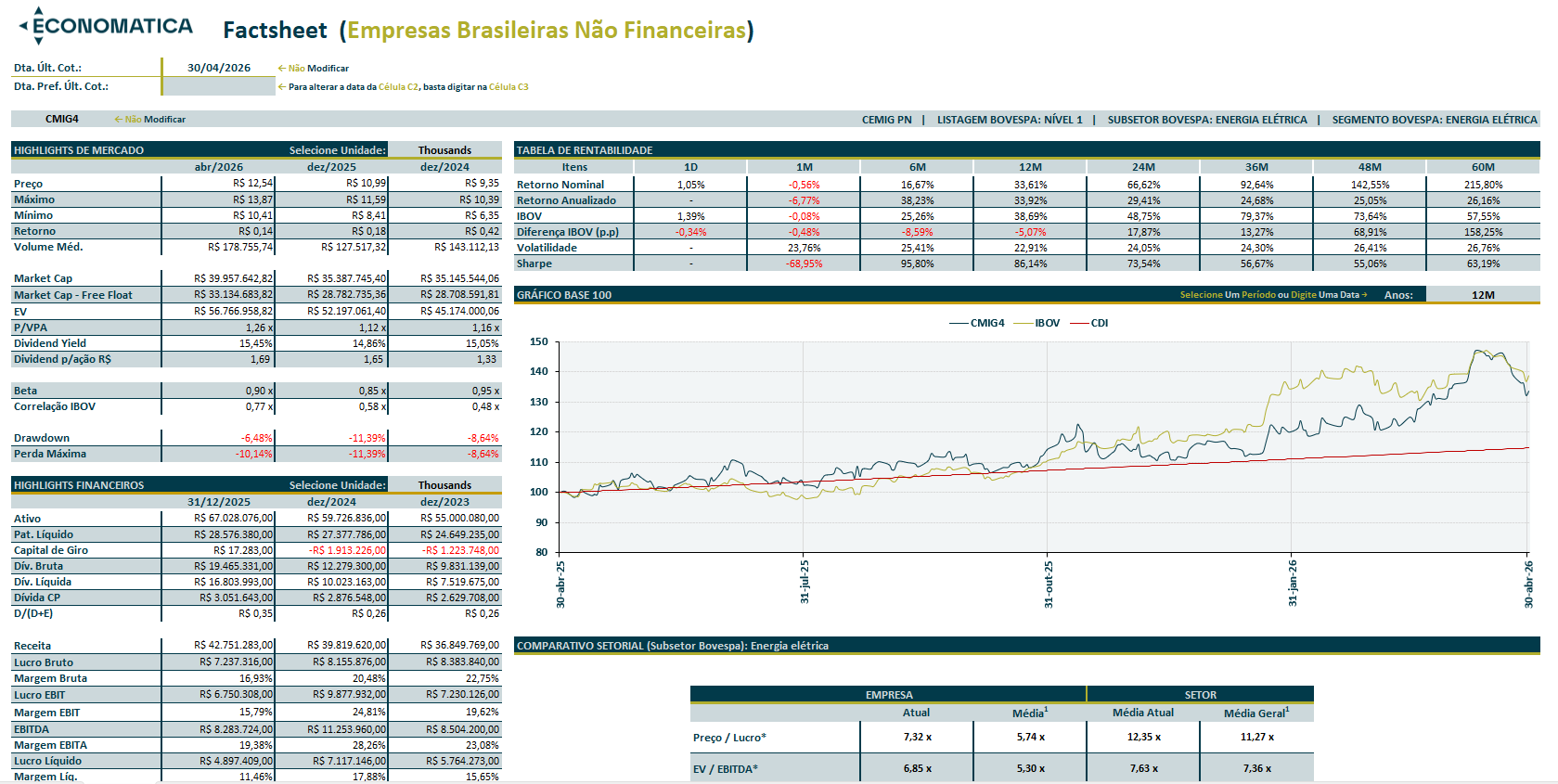
Templates pre-built by Economatica for the analyst's most common routines: performance analysis, screening, valuation, sector monitoring. Just open, parameterize, and refresh.
TemplatesReady to useParameterizable
PRODUCTIVITY/10 OF 10
Screening in Excel
Run screenings combining any attribute of the Economatica database as a filter inside Excel. Results in a table, ready to cross with existing models and reports.
Combined filtersTabular resultIntegrable